In response to CVE-2026-416151 (Microsoft Authenticator Information Disclosure Vulnerability), Microsoft started exposing the used Microsoft Authenticator app details as part of the Entra ID Sign-In Logs in the AuthenticationAppDeviceDetails column. The information can be queried via KQL.
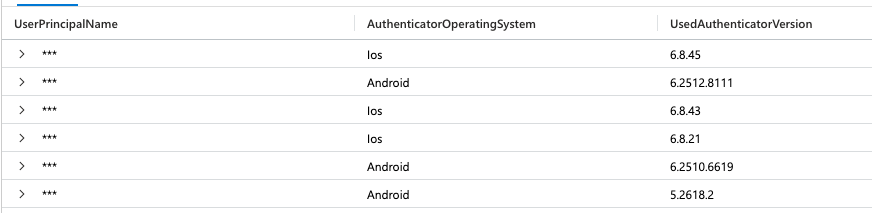
You can use the below KQL query to find users with outdated Microsoft Authenticator app versions, which are vulnerable:
// https://msrc.microsoft.com/update-guide/vulnerability/CVE-2026-41615
let MinimumVersions = datatable(
    AuthenticatorOperatingSystem: string,
    PatchedAuthenticatorVersion: string
)[
    "Android", "6.2605.2973",
    "Ios", "6.8.47"
];
SigninLogs
| where isnotempty(AuthenticationAppDeviceDetails)
| extend AuthenticationAppDetails = parse_json(AuthenticationAppDeviceDetails)
| extend AuthenticatorOperatingSystem = tostring(AuthenticationAppDetails.operatingSystem)
| extend UsedAuthenticatorVersion = tostring(AuthenticationAppDetails.appVersion)
// b2b and guest accounts include: {"deviceId":"{PII Removed}"} and no authenticator details
| where isnotempty(UsedAuthenticatorVersion)
| join kind=leftouter MinimumVersions on AuthenticatorOperatingSystem
| extend isVulnerable = parse_version(UsedAuthenticatorVersion) < parse_version(PatchedAuthenticatorVersion)
| where isVulnerable
| distinct UserPrincipalName, AuthenticatorOperatingSystem, UsedAuthenticatorVersion, isVulnerable
The AuthenticationAppDeviceDetails (JSON) column itself consists of the following properties:
- appVersion
- clientApp
- deviceId
- operatingSystem
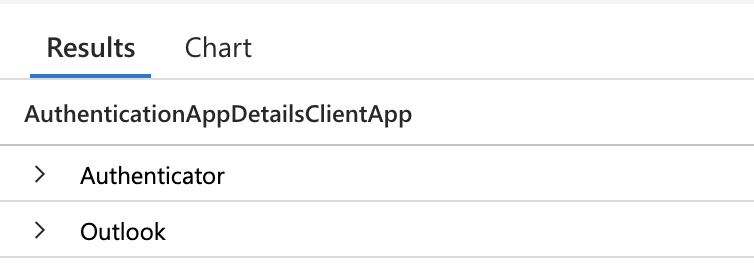
The clientApp property is really helpful, as we now also have another option to identify users who use the Authenticator light capabilities, available as part of the Outlook app:
SigninLogs
| where isnotempty(AuthenticationAppDeviceDetails)
| extend AuthenticationAppDetails = parse_json(AuthenticationAppDeviceDetails)
| extend AuthenticationAppDetailsClientApp = tostring(AuthenticationAppDetails.clientApp)
| where AuthenticationAppDetailsClientApp == "Outlook"
| distinct UserPrincipalName, AuthenticationAppDetailsClientApp
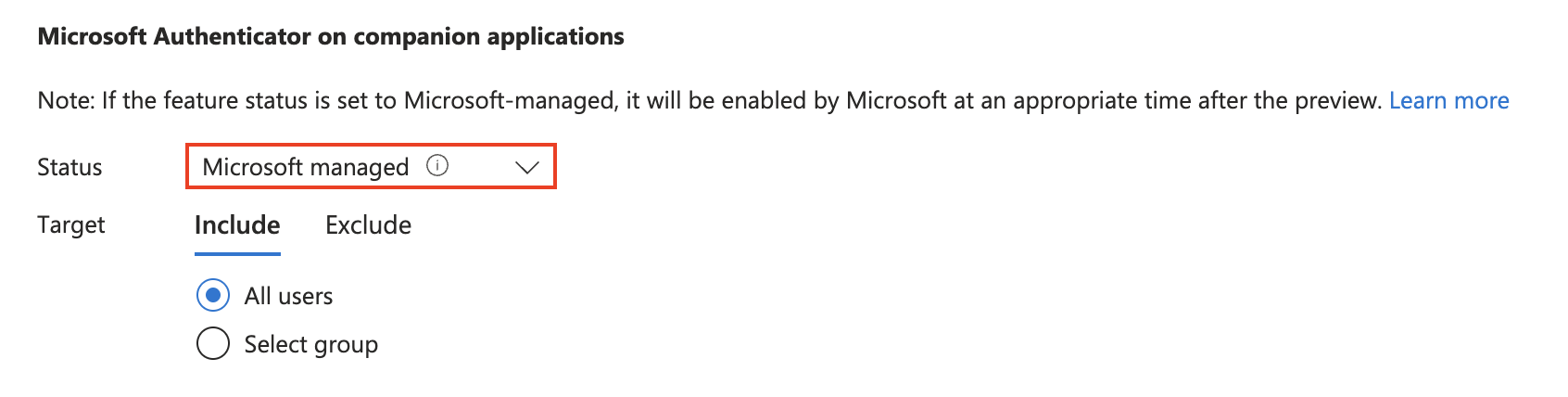
This might be relevant in your environment if you did not disable the Microsoft-managed setting for using the Authenticator light option, which, for example, does not support Conditional Access authentication strengths, passkeys, and app protection policies:
Additionally, there’s also a new AuthenticationAppPolicyEvaluationDetails column, indicating the authenticator app settings:
- Number Match
- App Lock
- Application Context
- Location Context

CVE-2026-41615 (https://msrc.microsoft.com/update-guide/vulnerability/CVE-2026-41615). ↩︎